Blog
Top CRM Solutions With Integration Options for Marketing Automation
15 Oct 2026Techwaresoft5 min read
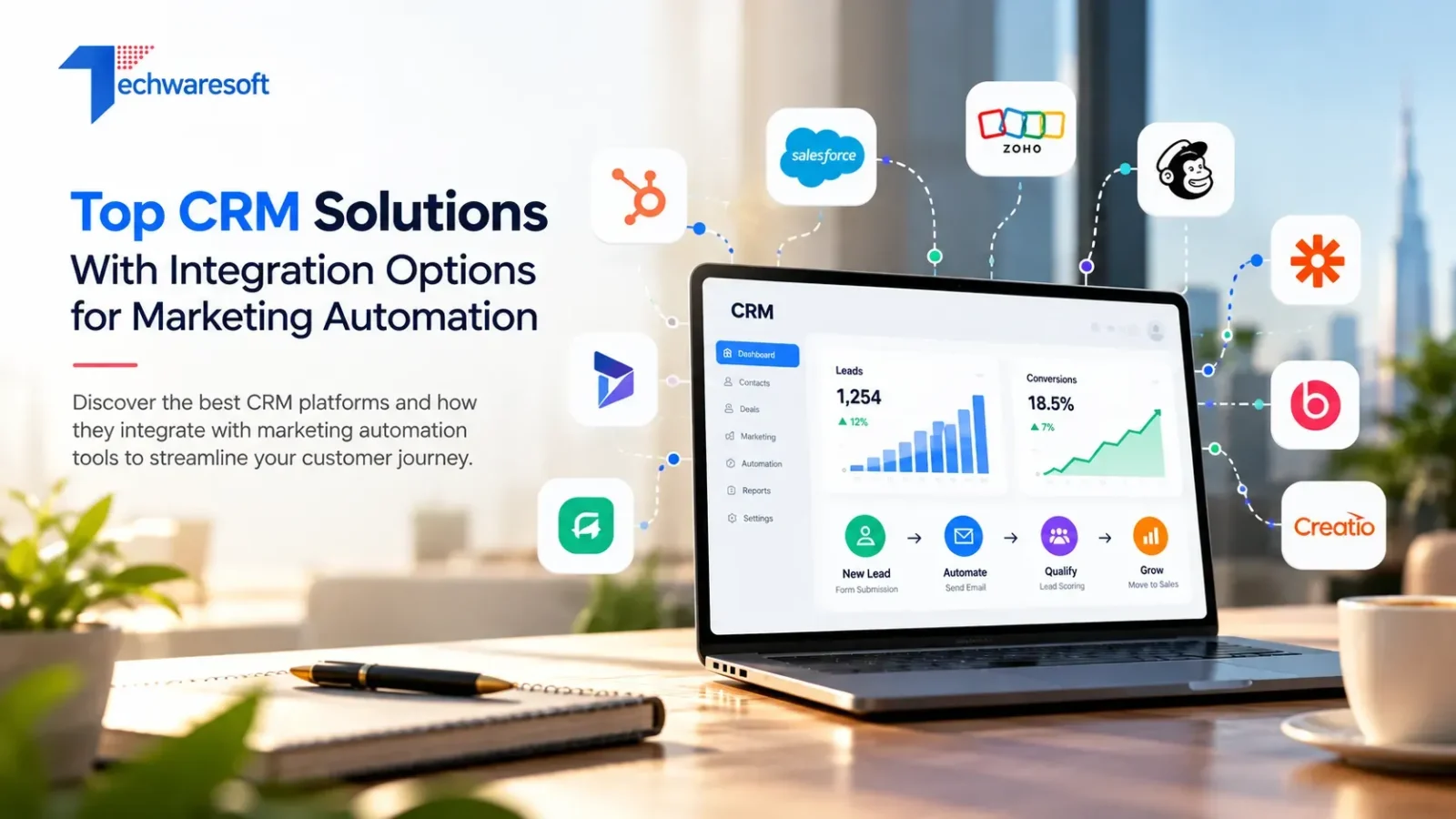
A CRM becomes much more useful when it can do something with the data it collects.
A new lead fills out a form. Marketing sends the right follow-up. Sales sees which campaign brought the prospect in. If the lead becomes qualified, the CRM updates the record and moves the opportunity forward. None of that should depend on someone copying information between five different tools.
That is why businesses comparing CRM platforms should look closely at marketing automation and integration options, not just contact management or pipeline features.
The right CRM depends on the complexity of your customer journey, the channels you use, and how much automation your team actually needs.
What Makes a CRM Useful for Marketing Automation?
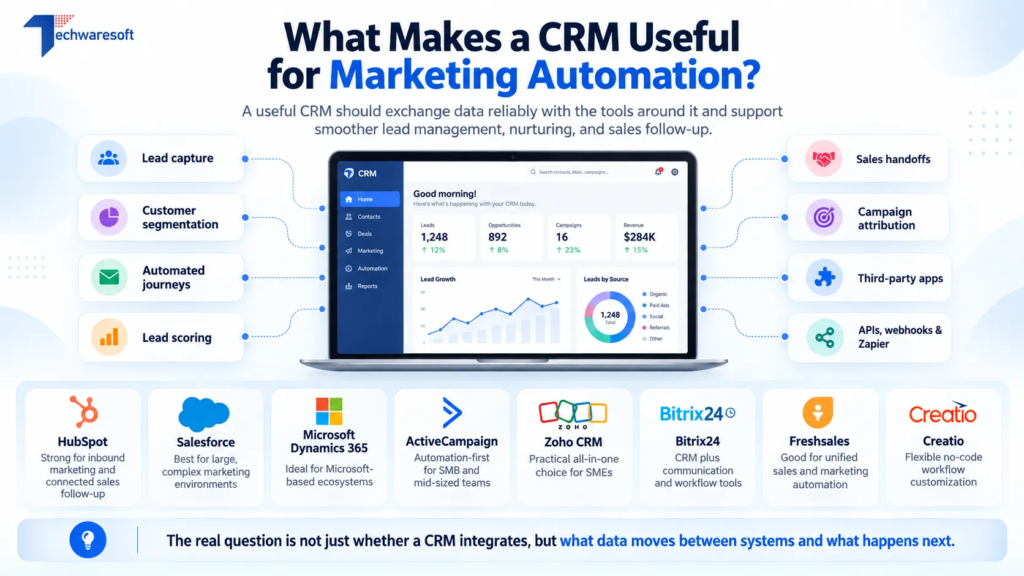
A CRM does not need to run every marketing activity itself. It does need to exchange data reliably with the tools around it.
Before choosing a platform, check whether it can support:
- Lead capture from forms and campaigns
- Customer segmentation
- Automated email or messaging journeys
- Lead qualification and scoring
- Sales handoffs
- Campaign attribution
- Third-party applications
- APIs, webhooks, or integration platforms such as Zapier
The important question is not simply, “Does it integrate?” It is what information moves between the systems and what happens when it gets there.
1. HubSpot
HubSpot is one of the more natural choices when marketing and sales need to operate around the same customer record.
Its marketing automation tools use CRM data to support workflows, lead nurturing, automated scoring, forms, email activity, and customer journey orchestration. HubSpot also has a broad integration ecosystem, which makes it easier to connect specialist marketing applications when native functionality is not enough.
It suits businesses where content, inbound leads, campaigns, and sales follow-up are closely connected.
If messaging is an important part of acquisition, the CRM setup should also support the wider whatsapp marketing services strategy rather than leaving conversations in a separate system.
2. Salesforce
Salesforce makes more sense when marketing automation needs to operate across a larger or more complicated customer environment.
Salesforce Marketing Cloud supports customer journeys, B2B lead generation, cross-channel engagement, scoring, analytics, and connections with Sales Cloud. Its wider ecosystem is also designed to bring sales, marketing, service, and customer data together.
That flexibility is valuable for enterprise businesses, but it also means implementation needs proper planning. Data structure, permissions, integrations, and campaign ownership all matter.
3. Microsoft Dynamics 365
Microsoft Dynamics 365 is particularly relevant to organizations already invested in Microsoft products.
Dynamics 365 Customer Insights supports both trigger-based and segment-based customer journeys. Those journeys can respond to actions such as form submissions or target audiences based on shared characteristics. Customer Insights can also work with Dynamics 365 Sales and Microsoft Dataverse to connect customer information across systems.
For businesses already using Microsoft infrastructure, that can reduce the need to introduce an entirely separate marketing technology environment.
4. ActiveCampaign
ActiveCampaign approaches the problem from the marketing automation side first.
It is particularly strong around automated campaigns, segmentation, email, customer journeys, and behavior-driven workflows. The platform also includes CRM capabilities, which makes it useful for businesses that want marketing automation to remain at the center of the customer journey.
It may suit smaller or mid-sized teams that need sophisticated nurturing without the complexity of a large enterprise CRM.
5. Zoho CRM
Zoho CRM gives businesses a practical mix of CRM workflows and marketing functionality.
Its workflow tools can automate email notifications, tasks, field updates, webhooks, and actions involving external applications. Zoho CRM also includes campaign management, web forms, email marketing features, and integration with the wider Zoho ecosystem.
For SMEs already using Zoho products, keeping sales and marketing within the same ecosystem can simplify day-to-day management.
6. Bitrix24
Bitrix24 combines CRM with communication and workflow tools.
Its CRM marketing features cover areas such as email, SMS, landing pages, segmentation, and automated rules. This makes it useful for businesses where marketing activity and customer communication need to feed directly into the sales process.
Campaigns outside the CRM still need their own planning. For example, influencer marketing services may use separate tools, while Bitrix24 records the leads and opportunities created from those campaigns.
7. Freshsales
Freshsales Suite brings sales and marketing closer together in one environment.
Freshworks supports landing pages, campaign automation, lead nurturing, customer journey workflows, WhatsApp, email, SMS, and CRM-based customer information. Its workflows can also trigger field updates, notifications, tasks, and webhooks.
This makes it a practical option for businesses that want marketing automation without building a large enterprise stack.
8. Creatio
Creatio stands out where businesses want CRM and workflow automation with more room for customization.
Creatio Marketing supports lead generation, segmentation, campaign automation, digital ads, email marketing, events, and omnichannel campaigns. Its no-code platform also allows companies to adapt workflows without building every process from scratch.
That flexibility can be useful where standard CRM workflows do not match the way the business operates.
Where Zapier and Custom Integrations Fit
Zapier is not a CRM. It sits between applications and helps automate data movement.
A business might use it to send a website lead into the CRM, add the contact to a marketing sequence, notify sales, and update another tool automatically.
When ready-made connectors cannot handle a specialized system, API development may be required. Businesses running custom web platforms may use ruby on rails development to connect CRM data with internal applications or customer portals.
Choose the Workflow First
A CRM should fit the way your business already attracts, qualifies, and follows up with customers.
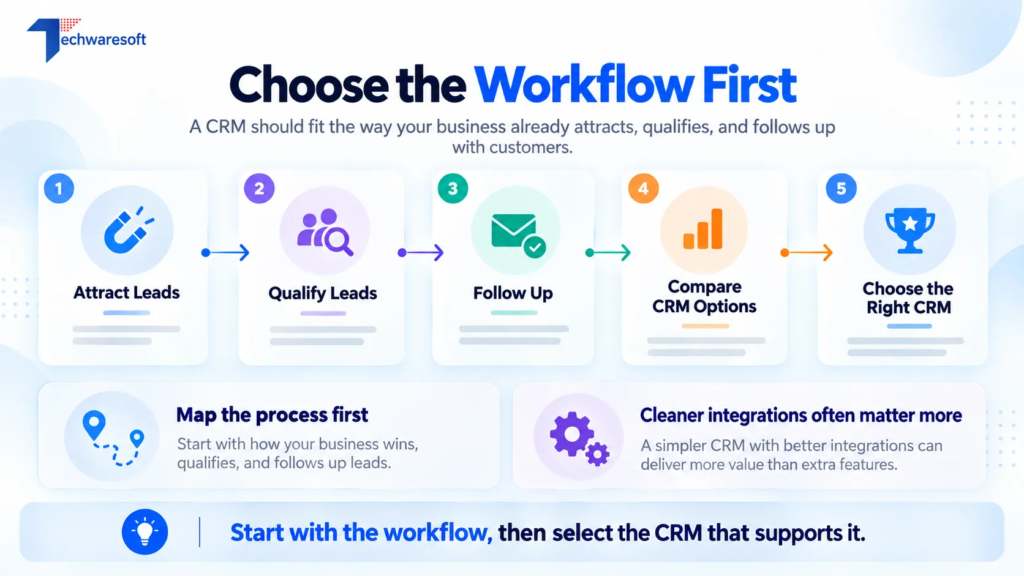
Map that process first. Then compare platforms based on how well they support it.
A CRM with fewer features but cleaner integrations can often deliver more value than a larger platform that your team struggles to use.
Frequently Asked Questions
Which CRM is best for marketing automation?
There is no single winner. HubSpot suits integrated inbound marketing, Salesforce and Dynamics 365 fit more complex environments, while ActiveCampaign, Zoho, Freshsales, Bitrix24, and Creatio serve different workflow requirements.
Do I need Zapier if my CRM already has integrations?
Not always. Use native integrations when they meet the requirement. Zapier becomes useful when two applications do not have a suitable direct connection.
Can I keep my existing marketing tools when changing CRM?
Usually, yes. Check whether the new CRM offers native connectors, APIs, webhooks, or integration-platform support before migrating.
What should I check before integrating a CRM with marketing automation?
Review data ownership, field mapping, permissions, duplicate handling, lead stages, consent requirements, and which system should remain the primary customer record.

Working on something like this?
Tell us what you are building and who it is for. We will tell you what it takes.