
How work really flows
Process mapping
We document how the process runs today, including the workarounds people have built quietly. You get a map of where time and errors go, and what to digitalize first.
Many businesses still run important work on paper forms, shared spreadsheets, email chains and the memory of one or two people. It works until volume grows, someone leaves or a customer asks where their request is. Techwaresoft maps how that work actually happens and turns it into software your team will use.
Workflow automation, digital forms and approvals, document management, portals and ERP and CRM adoption, delivered one process at a time with training built in. We work on-site and hybrid across the UAE, and remotely for clients abroad.
Specialists and engagement models
Digitalization means moving work that runs on paper, spreadsheets and manual steps into software. You may also see it called business process digitalization, process automation or going paperless. It is narrower than digital transformation. It starts with one process, such as an approval, an order or an inspection, and makes it digital end to end.
Talk to us about a process
A form filled in on paper is typed into a spreadsheet and then into the accounts system. Digitalization captures it once, at the source. Every later step reads the same record.
Approvals, hand-offs and reminders stop depending on someone remembering. The system sends each item to the next person and chases it when it stalls.
When work lives in software, status is visible without asking around. Managers see what is waiting, on whom and for how long.
Software nobody uses changes nothing. The process is mapped with the people who do it, and training is part of the job.
Digitalization replaces manual work with software. Improving software you already have is modernization, and it is a different job.
Six reasons businesses decide a process has outgrown paper and spreadsheets.
Discuss your processThe process lives in the system, not in one person's head or inbox. Leave and sick days stop holding work up.
More orders or requests no longer mean more people re-typing them. The volume is handled by the workflow.
Data entered once and checked at entry is not copied wrong three steps later. Invoices and orders go out right the first time.
Dashboards show what is open, late or blocked. Nobody has to compile a status report by hand.
Every approval and change is logged with who made it and when. Finding a document takes a search, not a filing cabinet.
Requests move as soon as the previous step is done. They no longer wait in a tray or an unread email.
Nine services in four groups. Most projects start with process mapping and one workflow, then add the rest one process at a time.
We document how the process runs today, including the workarounds people have built quietly. You get a map of where time and errors go, and what to digitalize first.
Turns approvals, requests and hand-offs into automated workflows. Each one has clear owners, reminders and escalation when something stalls.
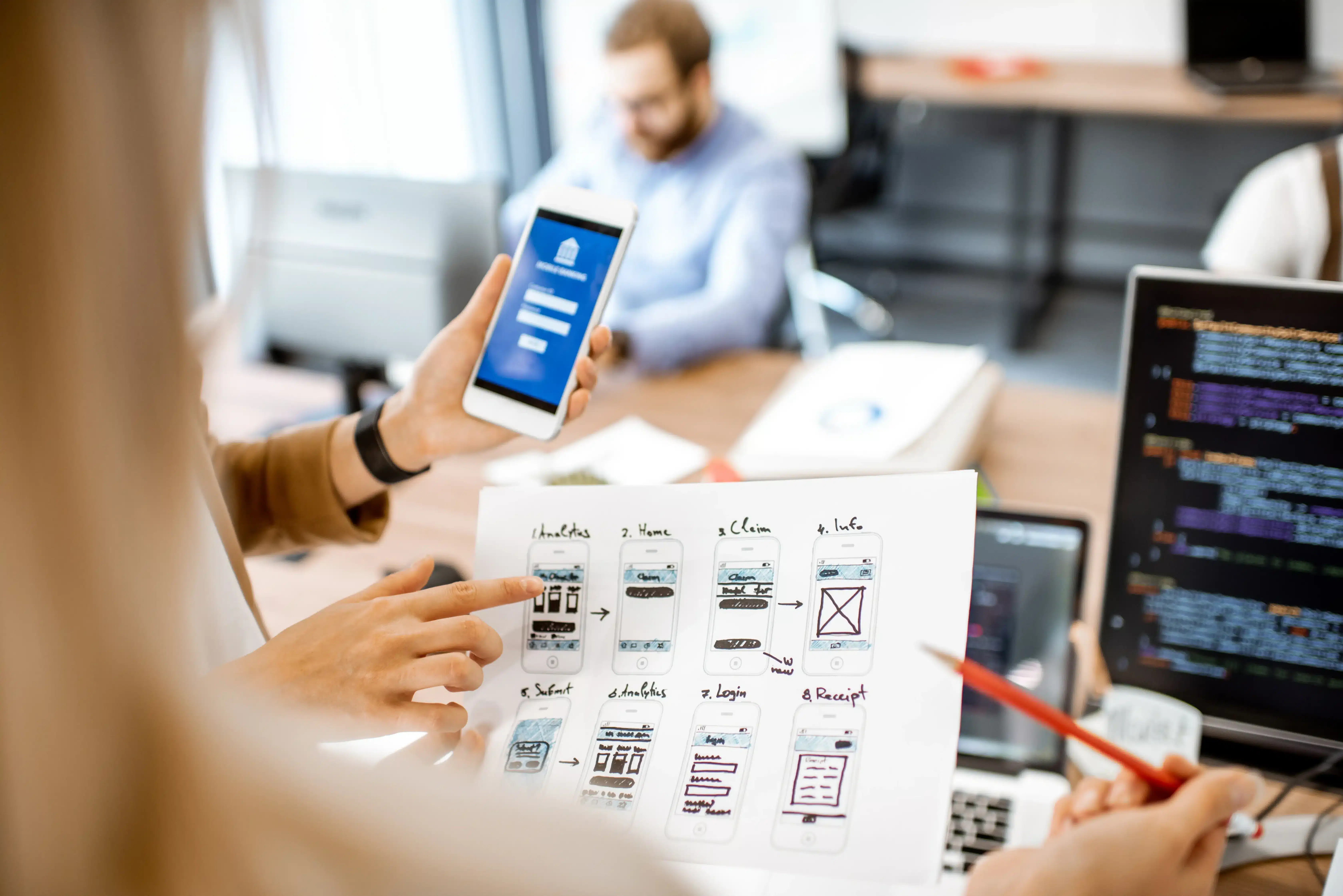
Web and mobile forms for inspections, requests, checklists and sign-offs. They can include photos, signatures and validation, and work for staff in the office or on site.
Moves contracts, records and files from cabinets and shared drives into a searchable system. Access, versions and retention are controlled.
Lets people submit requests, upload documents and check status themselves. Your team stops answering the same email by hand.

Moves sales, inventory, finance or HR off spreadsheets and onto Odoo, Bitrix24 or Zoho. Each is configured around your process instead of the defaults.
Role-based training, simple guides and support through the first weeks. The new way of working becomes the normal one.

Cleans, deduplicates and imports records from spreadsheets, scanned files and old exports. Everything is checked against the source before anyone relies on it.
Connects your website, accounting, ERP, CRM, messaging and payment tools. Data entered in one place reaches the others automatically.
The people a digitalization project actually needs. Which of them join depends on the process and the systems around it.
Mapping how the process runs today and writing down what the software has to do.
Building the workflows, approvals and reminders that move work without chasing.
Configuring Odoo, Bitrix24 or Zoho around the process instead of the defaults.
Custom forms, portals and modules where an off-the-shelf product stops.
Field apps for staff who work on site, on a phone or a tablet.
Connecting the new system to accounting, messaging, payments and the website.
Cleaning and importing records from spreadsheets, scans and old exports.
Forms and screens simple enough that people prefer them to paper.
Hosting, access and backups for the new system.
Testing every path through the workflow before the team relies on it.
The same process, run two ways. The differences show up most when volume grows or someone is away.
| Aspect | Digital processWork captured, routed and tracked in software. | Manual processWork run on paper, spreadsheets, email and memory. |
|---|---|---|
| Where information lives | One shared record, entered once | Copies in files, inboxes and spreadsheets |
| Approvals and hand-offs | Routed automatically with reminders | Depend on someone chasing them |
| Status | Visible to anyone with access | Found by asking around |
| Errors | Checked when data is entered | Found later, often by the customer |
| Audit trail | Every change logged with who and when | Reconstructed from emails and signatures |
| Growing volume | Handled by the workflow | Handled by adding people |
Not every process needs software. If it runs rarely and one person owns it, paper can be fine. If it runs daily, crosses teams or carries risk, digitalizing it usually pays back in time and errors.
Four ways to work with us, from a short discovery to ongoing support after go-live.
Choose an engagement modelA fixed-scope mapping of one area of the business, with a prioritized list of what to digitalize and in what order.
One process taken from paper to software end to end, such as an approval, an order flow or an inspection.
Several processes digitalized one after another, with scope and cost agreed before each phase starts.
Ongoing training, fixes and new automations once the system is in daily use.
Five stages, in this order. The first is the one most failed projects skipped.
We document how work actually flows today, including the manual workarounds people have built. Those show where the real friction sits.
Opportunities ranked by effort against impact. The first phase tackles the bottlenecks costing you most, not just the easiest wins.
Forms, workflows, integrations and configuration delivered in phases. Each phase is useful on its own.
Each role is trained on the part they use. Records are migrated and checked, and we stay on hand through the switch-over.
We measure against a baseline taken before the work started, so you can see whether the improvement is real.
Our published cases closest to digitalization are two launches that started with no digital stack. One was a Dubai catering brand given an Odoo site its team edits itself. The other was a food subscription business given Odoo sales, CRM and inventory with hosting and email, delivered in one month. A case study on digitalizing an existing manual process will be added once a client approves one.
Techwaresoft built a learning platform that is intuitive and engaging. The design makes learning drums enjoyable and straightforward, and their attention to user experience really stands out. Our students love the platform.
Every sector has its paper trail. These are the processes we are asked about most in each.

Site inspections, daily reports, material requests and subcontractor approvals moved off paper.

Leads, viewings, contracts and tenant requests on one record instead of spreadsheets.

Appointment requests, intake forms and internal approvals with access controlled by role.

Admissions, fees and parent communication handled online instead of by form and phone.

Quotes, orders, stock and invoices connected so nothing is re-typed between them.

Delivery notes, proof of delivery and vehicle checks captured on a phone.

Engagement letters, timesheets and billing approvals in one workflow.

Candidate pipelines, onboarding documents and leave requests without email chains.
Six things that follow from being a software company that maps the process before choosing the tool.
We map how the work runs before recommending anything. The tool is chosen to fit the process.
We implement Odoo, Bitrix24 and Zoho, and we will recommend one of them before custom software when it does the job.
When the standard product runs out, we build the form, portal or integration ourselves.
Each phase is useful on its own. You see results before committing to the next one.
Training and support after go-live are part of the scope, not an optional extra.
We're based in Sharjah and work with clients in the UAE, Saudi Arabia, Pakistan, the UK and the US.
Trusted by



The questions businesses ask before moving a process off paper. If yours is not here, it is the fastest thing to answer in a conversation.
With the process that costs you the most in manual effort or errors, not the one that is easiest to automate. Process mapping usually makes the answer clear, and it is often not what people expected.
Rarely. Many gains come from connecting and automating what you already have. Replacement is a last resort, for when a system genuinely cannot support the process.
It depends on the process. An ERP or CRM covers most standard operations once it is configured properly. Custom software makes sense for the parts no product covers. We recommend after mapping the process, not before.
By involving the people who do the work in the mapping. They know where the friction is, and a change they helped shape gets adopted rather than worked around. Training and support after go-live do the rest.
It may. Under the UAE Ministry of Finance's e-invoicing system, businesses with annual revenue above AED 50 million must be fully live by 1 January 2027. PDFs and scanned invoices do not count as e-invoices. We are not an Accredited Service Provider, but we can get your invoicing process and ERP ready to connect to the one you appoint.
Cost depends on how many processes are involved, how many people use them and whether an off-the-shelf product fits. We measure against a baseline taken before work starts, such as processing time, errors and manual hours.
Tell us which process runs on paper, spreadsheets or email today and where it slows you down.
We'll come back with how we would digitalize it, which tools fit and what the first phase would cost.